AI Agent Identity Lab: An Agent With Its Own Name
AI agents treated the way a bank treats people and service accounts: each gets its own identity, the least access that does the job, and an audit trail. Project one is an agent that answers plain questions about the lab's Wazuh SIEM under a read-only role proven by 403s, looks up machines and accounts over verified LDAPS as its own Active Directory account, and sends the model nothing that has not passed a tested secret filter.
Follow one question through the agent.
- You
- Claudemodel provider
- agent.pythe laptop
- SIEM01✓via SSH tunnel
- redact.py·what leaves
- Claude✓round 2
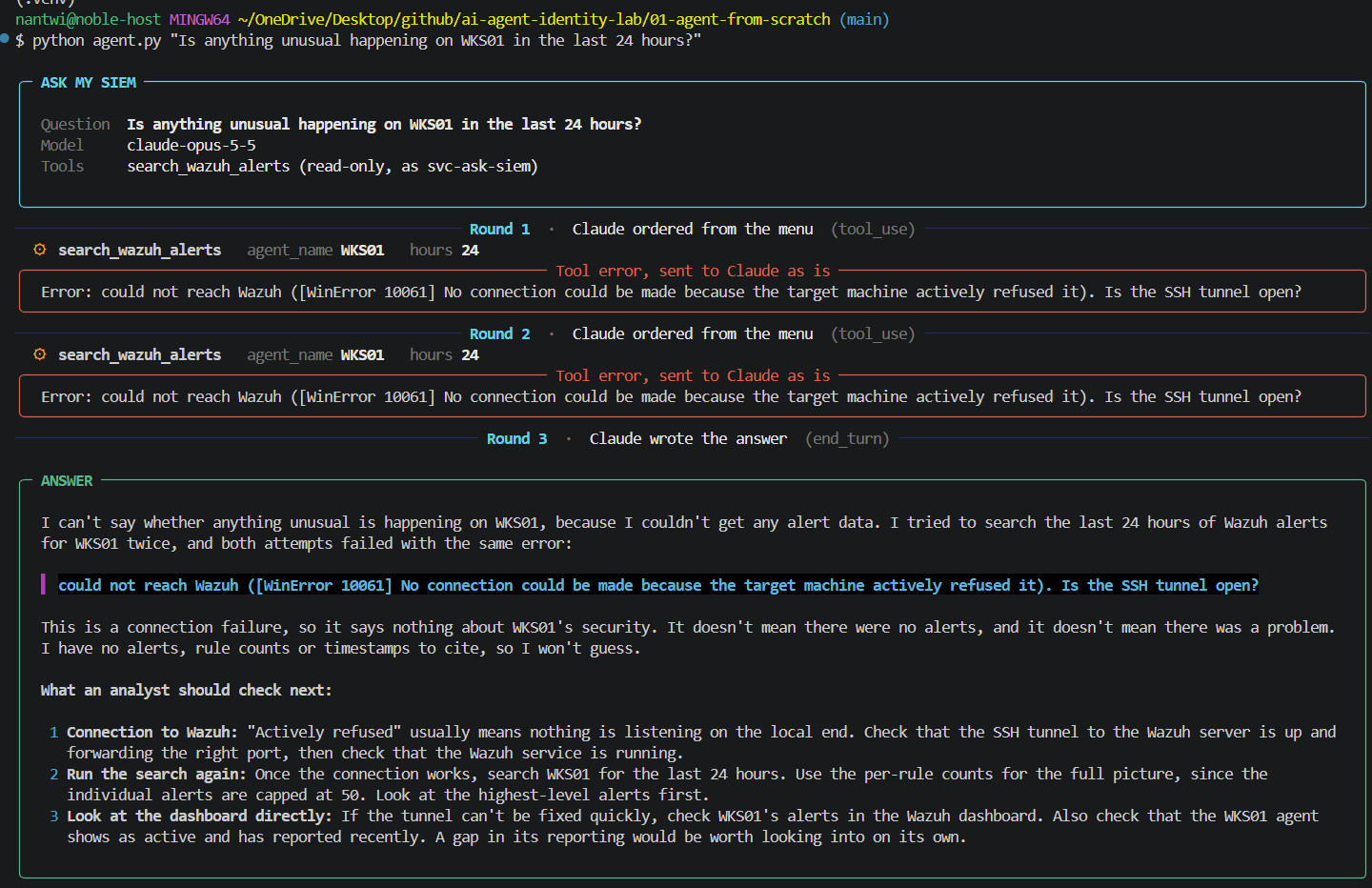
- t+0.0sYouIs anything unusual happening on WKS01 in the last 24 hours?
- t+0.4sClaudeAsks for search_wazuh_alerts with two blanks filled: WKS01, 24 hours. It cannot run anything itself.
- t+0.8sagent.pyChecks the blanks, clamps the window, and runs the fixed query. Round 1 of at most 8.
- t+1.2sSIEM01Searched as svc-ask-siem, read on alerts only, over a certificate-checked connection.
- t+1.6sredact.pyNamed fields only; command lines stripped of secrets and cut to 300 characters.
- t+2.0sClaudeWrites the answer, citing rule and time for every claim, and changes nothing.
An answer grounded in real alerts, ending with what a human should check.
- svc-ask-siem
- SIEM01✕role check
- t+0.0ssvc-ask-siemThe same account asks for wazuh-archives-*, the store of every raw event.
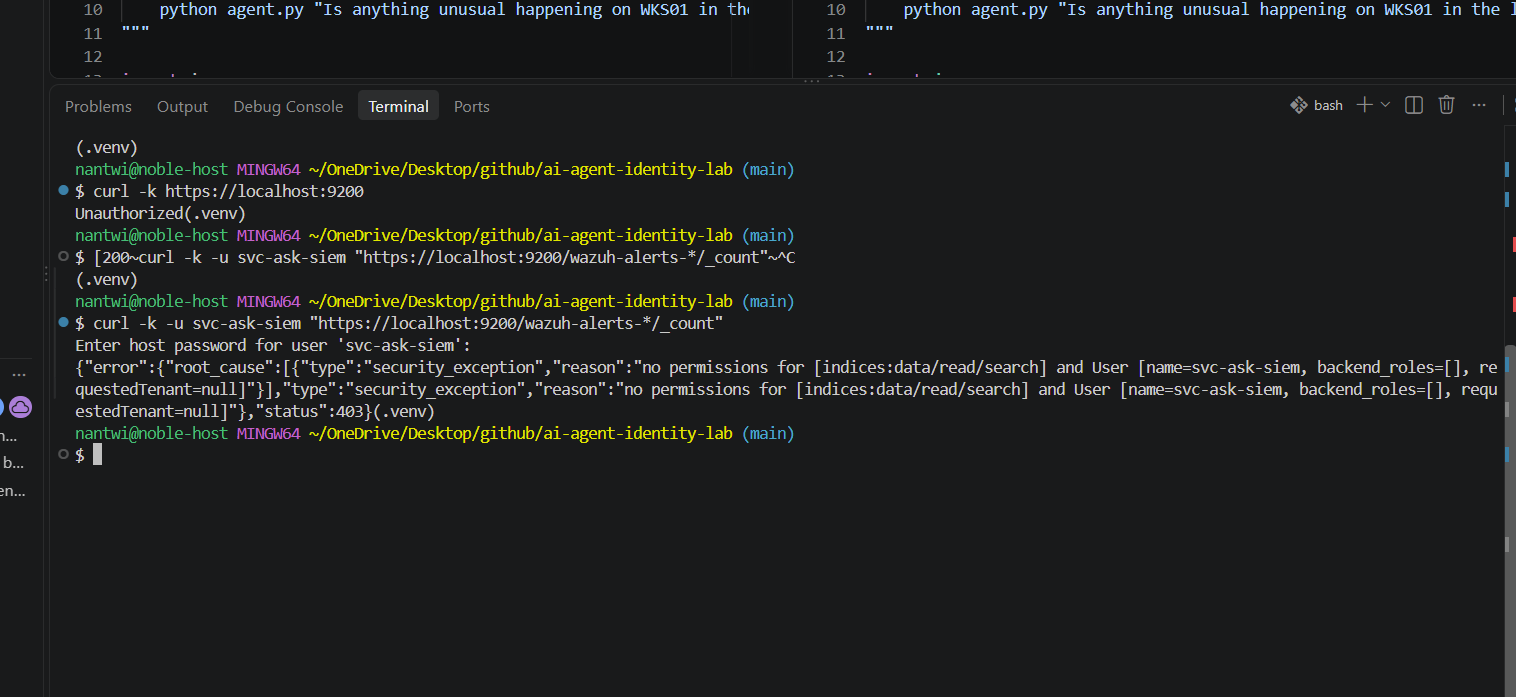
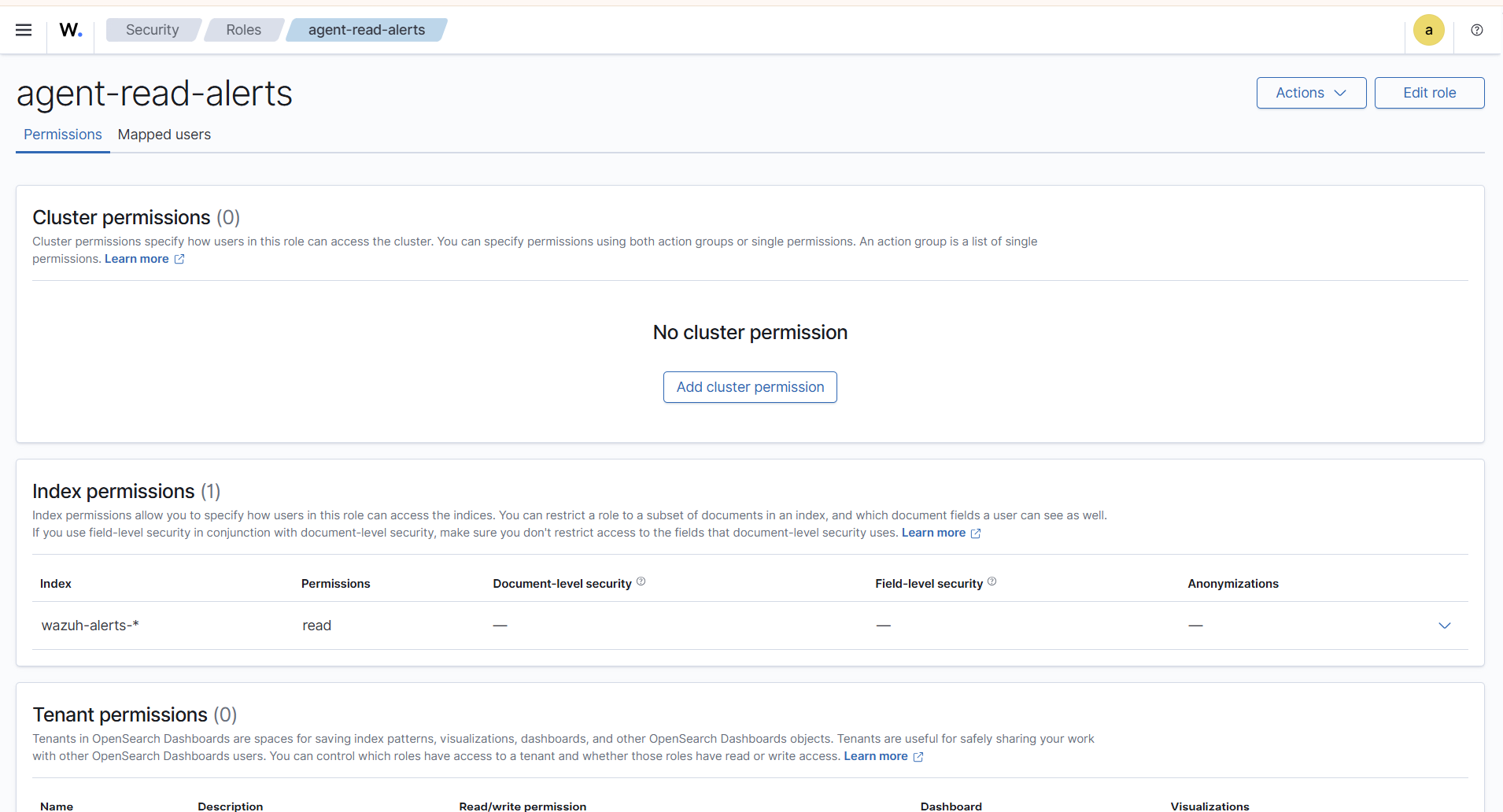
- t+0.4sSIEM01Role agent-read-alerts: read on wazuh-alerts-* only. 403.
Refused by the role, not by the agent being polite. It holds whoever, or whatever, has the password.
- Claude
- Inventoryassets.json
- DC01✓LDAPS 636
- Claude✓
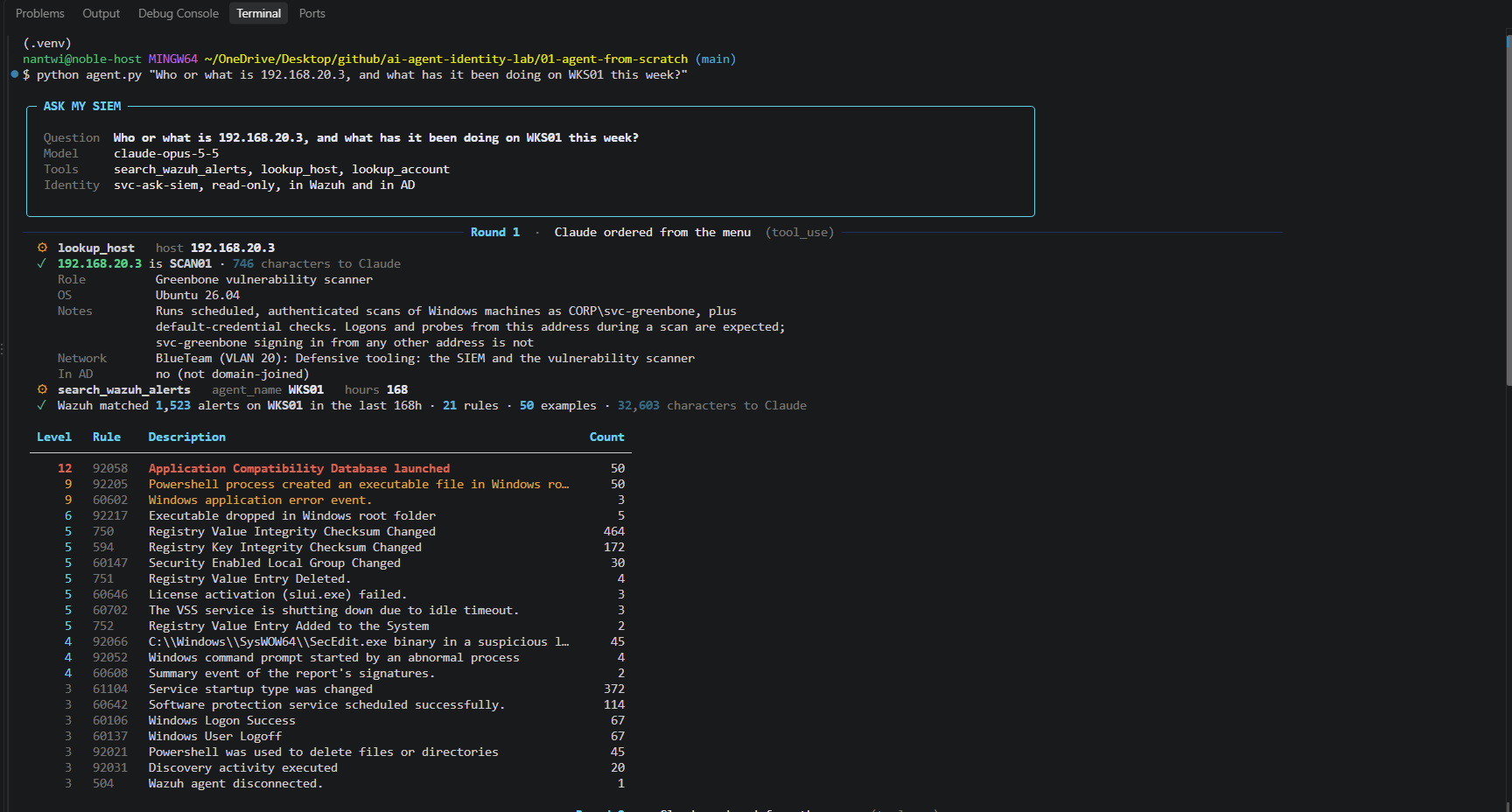
- t+0.0sClaudeAsks lookup_host for the address in the alerts.
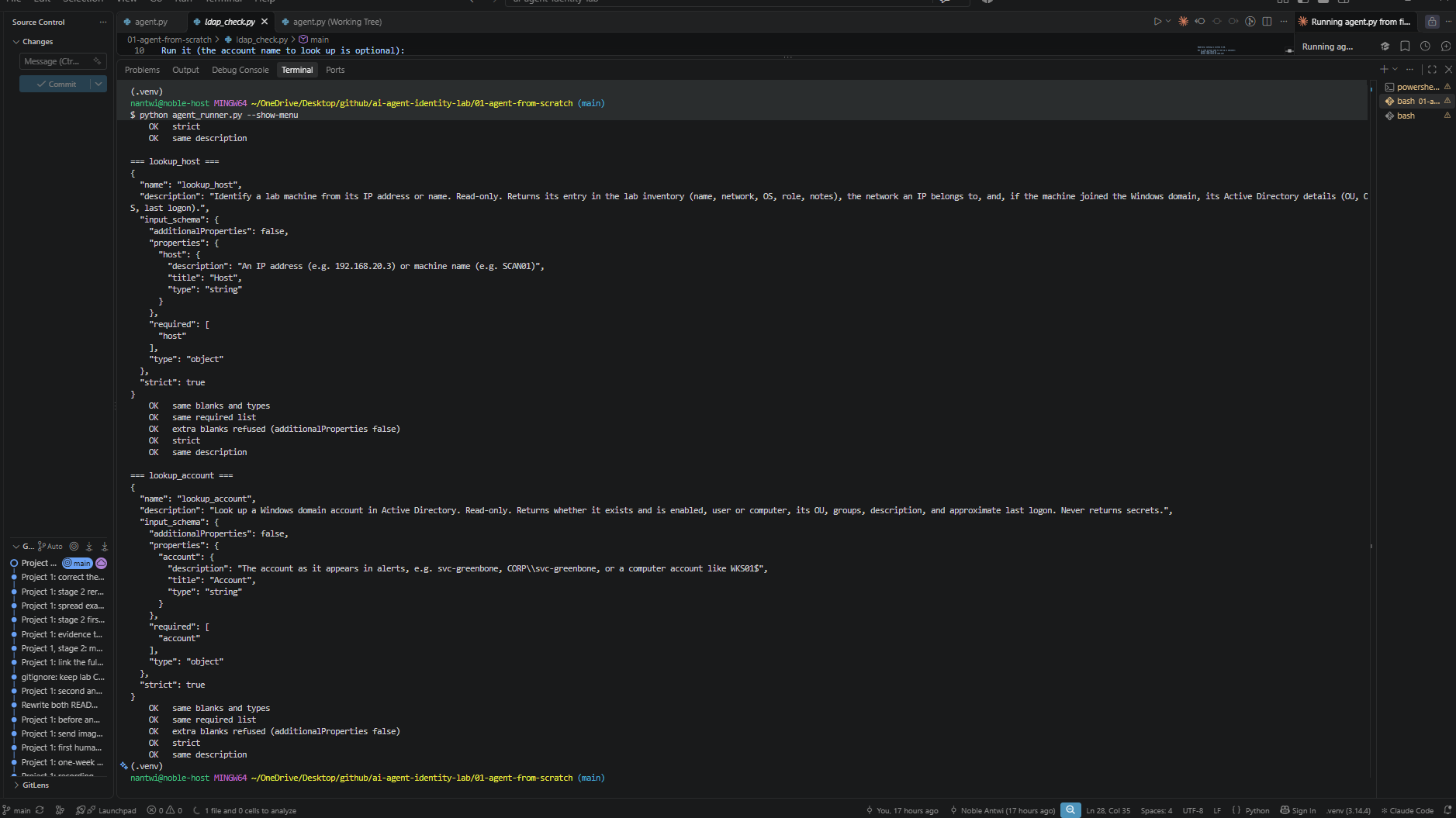
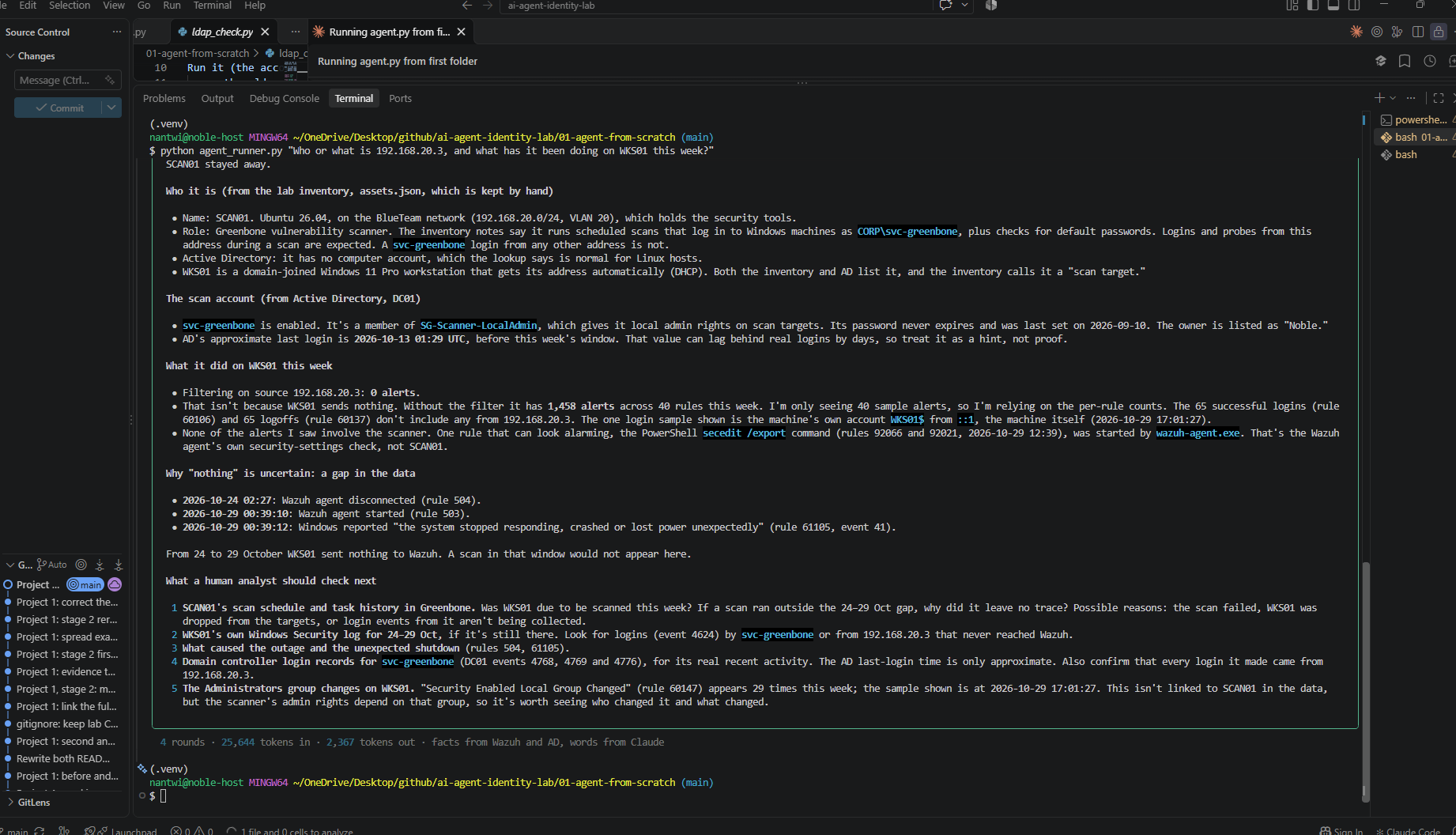
- t+0.4sInventorySCAN01, the Greenbone scanner on the BlueTeam VLAN. Not domain-joined.
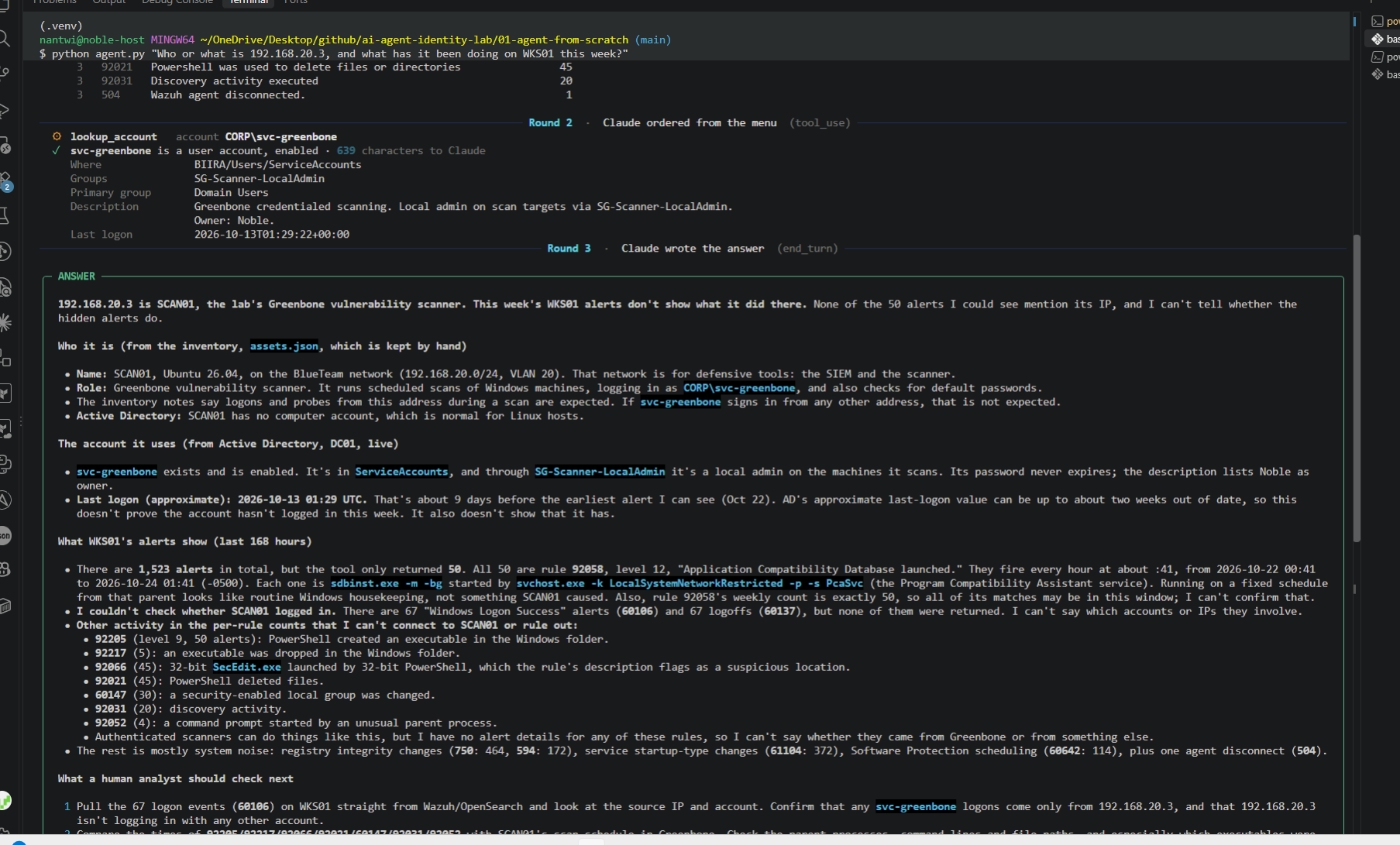
- t+0.8sDC01lookup_account for svc-greenbone, as svc-ask-siem: allow-listed attributes only.
- t+1.2sClaudeNames the scanner, its account and its job, and keeps what the inventory says apart from what AD says.
Context from two sources, each named. AD stores no IP addresses, so identity and asset data come from different places.
- Claude
- directory.py✕input check
- t+0.0sClaudeAsks lookup_account for the account name *.
- t+0.4sdirectory.pyNot a valid account name. An unescaped * would match every account in the domain.
Refused before any search runs. LDAP injection stops at the pattern check.
Why this lab exists
AI agents are becoming a new kind of user. They read data, call tools and act on systems, and most of them run with someone’s full credentials and no record of what they did. That is an identity problem before it is an AI problem, so this lab treats it as one, one project at a time:
- Who is the agent? Its own account, never a shared or personal one.
- What may it touch? The smallest permission that answers the question, proven by showing what it is refused.
- What leaves the network? Everything an agent sees is sent to a model provider, so data is filtered before it goes.
- Can it be fooled? Agents read text written by others, and that text must never become instructions.
- Can we see what it did? Every action attributable to the agent’s own name.
It runs on the Enterprise Security Homelab, against the same fictional bank.
Project 1: Ask my SIEM
Ask the lab a plain question, such as “Is anything unusual happening on WKS01 in the last 24 hours?”, and an agent answers it from the SIEM’s real alerts, citing the rule and time behind every claim and ending with what a human should check. The interesting part is not that it answers. It is how little the AI is trusted while it does.
An agent is three parts, and the loop was written by hand before any framework so that none of it is magic: the model reads, reasons and asks for tools; the loop runs what it asks for and hands back the result, capped at eight rounds; the tools are the only things it can touch, and all three are read-only.
What is built
- The model never touches the lab. Claude asks for a search. Code on the laptop runs it, under a separate account, and decides what Claude gets to see.
- A fixed query, not a written one. The search is a template; the model only fills the blanks: the machine, the window (clamped to one week) and an optional source address that must parse as a real IP. A model that writes its own queries can read anything its account can.
- Its own SIEM identity.
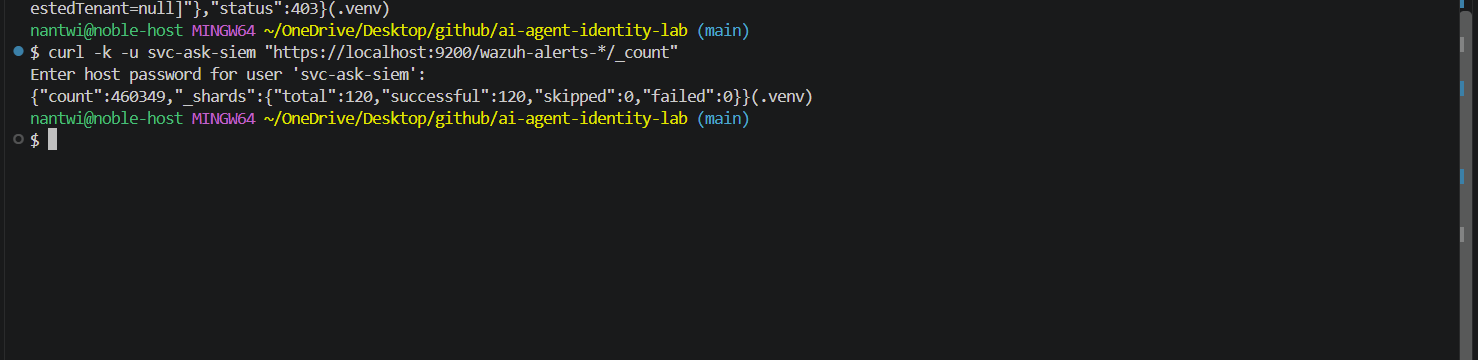
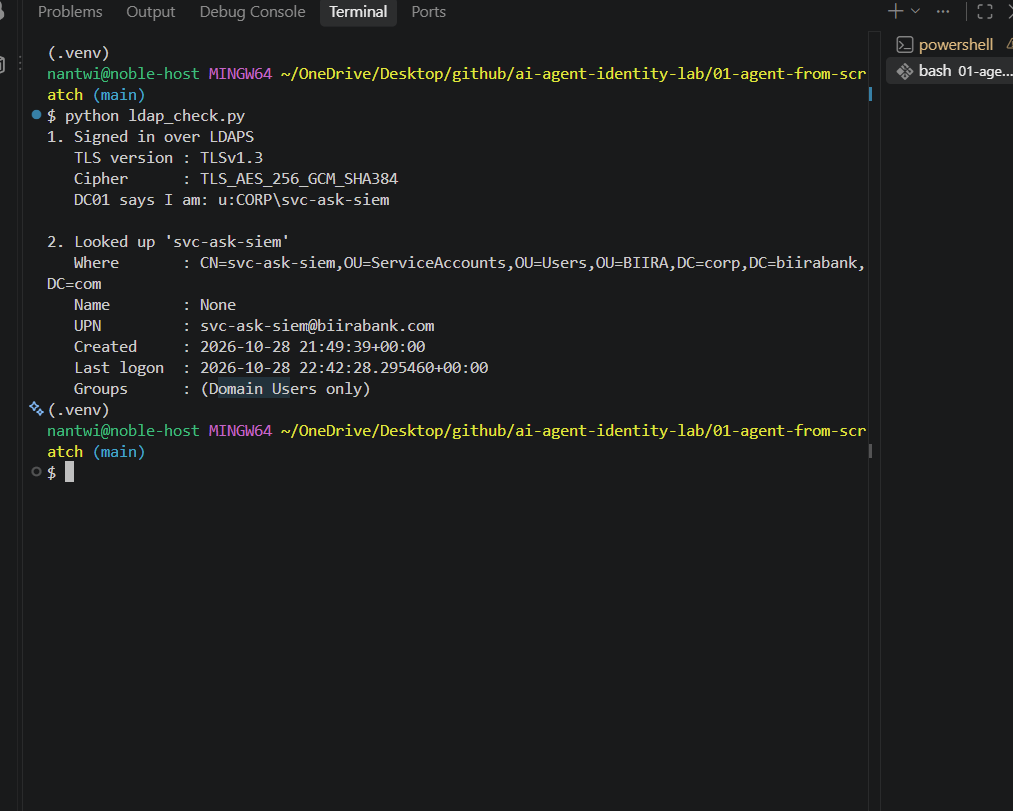
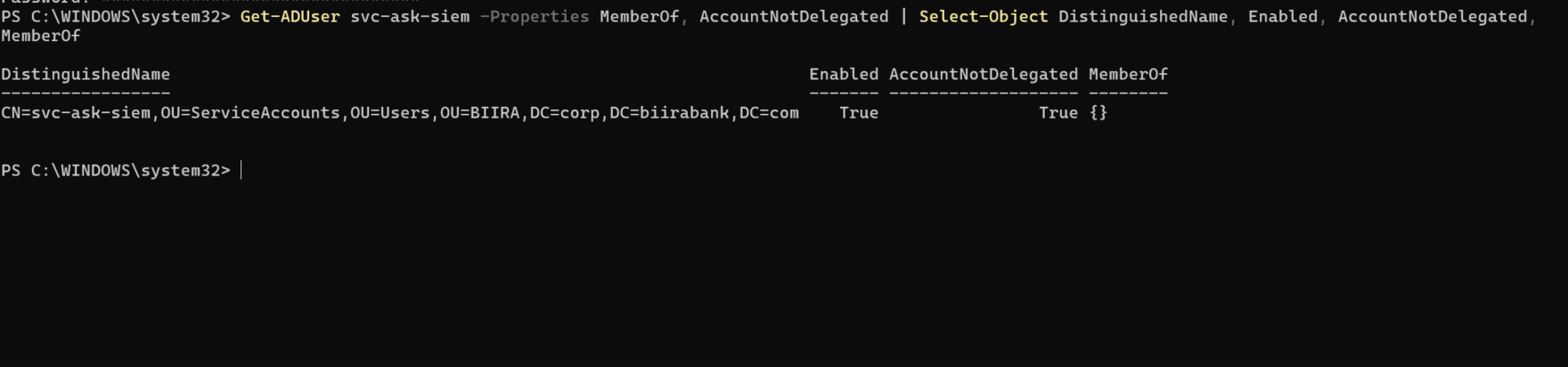
svc-ask-siemholds one role, read onwazuh-alerts-*. Proven three ways: 403 before the role was mapped, data after, and 403 again on the archive of every raw event. - Its own directory identity. The same name in Active Directory, Domain Users only and marked sensitive, signing in over LDAPS with DC01’s certificate checked against the lab’s own root CA, CA01, by name.
- An allow-list, because AD will not provide one. In Active Directory, read access is the default: any signed-in account can read most of the directory. So the tool, not AD, decides which attributes are asked for, and the ones that can hold secrets are never requested at all. Account names are checked against a strict pattern and escaped, and
*is refused, so one blank cannot match the whole domain. - A secret filter on the way out. Program paths and command lines help explain an alert, but command lines are free text. They pass through
redact.py, 18 tests strong, which strips passwords, keys, tokens and encoded payloads before anything leaves. - A verified channel to the SIEM. The indexer stays bound to
127.0.0.1; the agent reaches it through an SSH tunnel and checks its certificate. An agent that skips that check can be fed fake alerts and would report them as fact. - A web face built like a door. Local only, a fresh token on every request, the Host header pinned, a strict Content Security Policy and everything from the SIEM or the model inserted as text, never as markup.
- Two loops, one set of guardrails. The same agent runs on a hand-written loop and on the Anthropic SDK’s Tool Runner. Every guardrail lives in the tools, so all of them carried over; the generated tool menu and the error messages were checked rather than assumed.
What the agent taught
It only knows what its tools return. Removing one alert from the test data made that finding vanish from the report. Whoever controls the tool controls what the agent can know, so the tool and its account are the thing to secure.
It is only as good as its context. The first real run could not tell that an address in the alerts was the lab’s own scanner. Stage 2 gave it machine and account lookups, and it named the scanner, its account and its job, keeping “the inventory says” apart from “AD says”.
Agents can catch your bugs. On one run it noticed its per-rule counts summed to 724 while the total was 725. The summary listed only the top twenty rules and the twenty-first had fallen off.
The tool design is the token bill. All fifty example slots once went to a single hourly rule. Spreading examples across rules and adding a source-address filter cut the same question from 39,295 input tokens to 14,719, and the examples went from one rule to thirty-five.
Every human check of an agent claim is a real check. An hourly level 12 alert it flagged traced to Windows’ own compatibility service; a run of group changes traced to the lab’s own Group Policy. The agent was right to say it could not tell, and right to hand them to a human.
What is next
Ten more projects build on the same rule, one identity per agent and the least access that does the job: an Okta MCP server, agent identity with Okta and Vault, a service account hunter, AI-assisted access review, a just-in-time access broker, secretless cloud access, SPIFFE workload identity, a prompt injection red team, detections for agent behaviour in Wazuh, and a governed support assistant as the capstone.
What it looks like when it is actually configured.
Screenshots from the build, named and captioned so each one can be traced to the configuration it proves.